


NearVibe
3.218.00 Reviews
App Specs
- Version
- 1.3
- Updated On
- License
- Free
- Downloads
- 10,000+
- Developer
- WHALENEX LIMITED
- Categories
- Social
- Platform
- Android
Screenshots
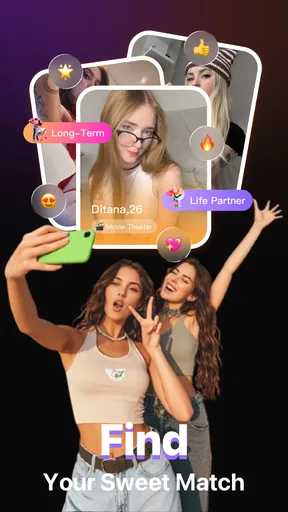



 Analysis by AppCompare
NearVibe is a social app built around discovering people nearby and starting conversations, and I found that its main appeal is also the point that deserves the most careful thought: location-aware socializing can feel more immediate than ordinary online networking, but it asks you to be deliberate about what you reveal and who you engage with. The app is free to download, developed by WHALENEX LIMITED, and aimed at mature users aged 17 and over. Its store summary presents a simple idea—find the local vibe, meet people, and chat—but deciding whether it suits you depends less on the slogan and more on how comfortable you are with proximity-based interaction.
I approached it as a practical social tool rather than a replacement for every messaging platform. If you want conversations connected to your surroundings, NearVibe has a clear reason to exist. If you prefer relationships built around established contacts, private groups, or carefully filtered interests, a conventional messenger or community platform may feel more predictable. My overall impression is cautiously interested: the concept is easy to understand, yet the value depends heavily on your own boundaries, the quality of nearby activity, and the choices you make while using it.
What NearVibe is really useful for
The strongest use case is spontaneous local connection. Imagine arriving in a new neighborhood, attending a public event, or spending an evening somewhere without knowing anyone. A proximity-focused app can give you a way to look for social interaction without relying entirely on existing friends or broad, worldwide feeds. That can be more relevant than scrolling through posts from people who live far away and have no connection to your immediate plans.
There is also a practical middle ground between meeting strangers face to face and remaining completely isolated. You can begin with a conversation, learn whether you share an interest, and decide later whether continuing makes sense. I like that basic progression because it leaves room for judgment. A nearby profile is not automatically a trustworthy person, and a friendly opening message is not the same as a reason to share personal details. The app works best when it helps you start a conversation, not when you treat proximity as proof of compatibility.
For people who move often, work remotely, or simply want a wider local circle, that distinction matters. NearVibe can be more useful than a standard chat app when your goal is to find people connected to the same general area. It may also appeal to users who find large social networks overwhelming and would rather begin with a smaller, more immediate context. The trade-off is that a smaller local pool can also mean fewer suitable conversations at a given moment.
The app has a current version of 1.3 and supports devices running Android 7.0 or later. That gives it a broad technical reach for Android users, although compatibility alone does not tell you whether your local community will be active. Its store presence shows over 10K installs, with an average rating of 3.2 from around 33 ratings and 16 written reviews. I read that as an early, mixed signal rather than a settled reputation: enough activity to show interest, but not enough feedback to treat the score as a definitive judgment.
Trust starts with the nearby concept
Any app centered on people nearby creates a different trust question from an ordinary social feed. The central issue is not simply whether you enjoy chatting. It is whether you understand what “nearby” means in practice, what information is visible to other users, and how easily you can control your exposure. I would not install this kind of app casually and immediately fill out a detailed profile. I would first inspect every visible privacy, location, notification, and account setting, then decide how much information is genuinely needed for the experience I want.
Worth Reading Before You Choose

Flipboard Shows What News Apps Must Do Beyond the Feed

Switching to Android Auto Means Rethinking Your Driving Routine

Google Calendar Makes a Crowded Week Easier to Manage

Ludo King Makes the Most of the Minutes Between Plans

Baby Panda World Brings Quick Play to Modern Phones, but Its Game Library Feels Busy

ESPN’s Live Game View Makes Following Close Games Easier
That is especially important because location can become identifying when combined with routine details. A workplace, a regular gym, a highly specific neighborhood reference, and a predictable schedule may reveal more than intended even if no exact address is displayed. My advice is to keep early conversations general. Mention broad interests or public activities before discussing where you live, where you work, or when you are usually alone.
I also recommend treating the first conversation as a screening stage. Look for respectful behavior, patience around boundaries, and a willingness to communicate without pressure. Someone who immediately asks for private contact details, insists on meeting, or reacts badly to a cautious answer is giving you useful information. The best feature in a social app is not a clever discovery mechanism; it is the ability to leave an uncomfortable interaction quickly and without feeling obligated to explain yourself.
Controls and choices worth checking first
NearVibe’s public store information identifies it as a mature social app, but the label itself should not be confused with a safety guarantee. Before using it actively, I would review the controls presented inside the app for account visibility, location access, notifications, messaging, blocking, and reporting. These are the settings that determine whether the application fits your personal comfort level. If a control is available, use it intentionally rather than leaving every option at its default.
A useful first-session workflow is simple. Create the minimum profile needed to understand the service, inspect what another user can see, and then adjust the account before starting serious conversations. This is better than building a complete personal biography and only later discovering that details are more public than expected. I would also disable notifications during times when a message could expose your activity to someone looking at your phone, especially if you share a device or live with other people.
Another practical habit is to separate discovery from commitment. You can browse the social environment, notice whether the conversations seem relevant, and decide whether to participate more deeply. Do not assume that using the app requires you to answer everyone who reaches out. A social platform should give you room to ignore, block, or report interactions that do not feel right. If those controls are difficult to find, that is a meaningful usability problem, not a minor inconvenience.
Account control also includes knowing when to step away. If the app no longer feels useful, look for the account-management options rather than simply deleting the icon from your phone. Removing an app and closing an account are not necessarily the same action. I would check the in-app account area for deactivation or deletion choices and read the wording carefully before confirming. That small step helps prevent an abandoned profile from remaining active when you no longer intend to participate.
Data-sensitive moments in everyday use
The most sensitive moments are not limited to registration. They happen when you grant access, complete your profile, open a conversation, receive a notification, or move a chat to another service. I would pay close attention to any permission request and ask whether it is necessary for the action I am trying to perform. If the app asks for access that does not seem connected to nearby social discovery, I would pause and inspect the explanation instead of accepting automatically.
Location deserves special care. If the experience requires location access, I would choose the narrowest option offered by the operating system that still lets the app work, and I would revisit that choice later. I would not leave location access enabled indefinitely without a reason. When I finish using the app for the day, checking the phone’s permission manager is a sensible way to confirm which access remains active. This is not about assuming bad intentions; it is about keeping a clear record of what I have allowed.
Profile writing can create another hidden exposure. A short description that says you are new to town may seem harmless, but paired with a photo, a workplace reference, and a recurring activity it can make you easy to identify. I would avoid posting a full routine, exact travel plans, personal contact details, or information that could be used to answer security questions elsewhere. The goal is to be approachable without making your identity and schedule unnecessarily easy to map.
Notifications can also reveal more than expected. Message previews on a lock screen may display a stranger’s name or the content of a private conversation. I would review notification-preview settings at the operating-system level and inside the app if that option is available. This is a particularly useful adjustment for anyone who uses NearVibe in shared spaces, at work, or around family members.
Paid options are another moment where user attention matters. NearVibe is free, but it includes in-app purchases ranging from $3.99 to $69.99 per item. I would not spend money simply because a conversation is slow or because a paid option appears to promise more visibility. First, use the free experience long enough to decide whether the local community is relevant. Then check the purchase confirmation, the account used for billing, and the device’s purchase protections. A free starting point is helpful, but it does not remove the need to manage spending carefully.
How much agency do you have in a conversation?
NearVibe is most comfortable when you remember that discovery is optional and engagement is selective. You do not owe a response because someone is nearby, and you do not need to move a conversation to a phone number or another social network to prove interest. Keeping early communication inside the app, where available, gives you more time to evaluate the interaction and maintain separation between a new contact and your established personal life.
I would use a simple boundary ladder. Begin with general topics, then share slightly more only after the other person behaves consistently and respectfully. Avoid sending documents, financial information, intimate images, home details, or live location. If you eventually arrange an in-person meeting, choose a busy public place, tell someone you trust where you are going, and arrange your own way home. These are sensible precautions for any nearby-meetup service, and they are especially important when the app’s core promise is based on physical proximity.
Blocking and reporting should be treated as normal tools, not dramatic last resorts. If a user becomes aggressive, manipulative, sexual in an unwanted way, or repeatedly ignores a clear boundary, end the conversation. Do not spend time trying to win an argument with someone you met through a social app. Capture only the information needed for a report if appropriate, then use the available account controls. If those controls are not obvious, search the profile, conversation, and settings screens before you need them.
There is also a social trade-off in maintaining a very limited profile. Less information can protect privacy, but too little context may make it harder for genuine users to decide whether to start a conversation. I would aim for safe specificity: mention broad interests, preferred public activities, or the kind of conversation you enjoy, while leaving out identifying routines. That balance gives others something real to respond to without turning the profile into a personal directory.
NearVibe compared with familiar alternatives
Compared with a standard messaging app, NearVibe is more discovery-oriented. Messaging tools are excellent once you already know someone, but they usually do not solve the problem of finding a new local contact. Compared with large social networks, NearVibe’s nearby focus may feel more relevant and less cluttered, although broad platforms often provide more mature tools for groups, content history, and established identity signals.
It also differs from interest-based communities. A hobby forum or group can give you a stronger reason to talk because the shared subject is already clear. NearVibe’s advantage is immediacy; its weakness is that proximity alone may be a thin foundation for trust. If your main goal is finding people who share a specific activity, a dedicated local group may be the better choice. If your goal is simply to see whether there are interesting people around you, this app has a more direct angle.
Dating-oriented services are another nearby comparison, but I would not assume that every interaction here has romantic intent. The app is presented as a social experience, so users may arrive with very different expectations. That makes clear communication important. If you are looking for dating specifically, a service designed around that purpose may offer more relevant filters and norms. If you want casual local conversation without defining it as dating, NearVibe may feel less restrictive, provided you are comfortable clarifying intentions early.
The right alternative depends on what you value most: local discovery, shared interests, existing contacts, or stronger identity context. NearVibe is not automatically better than those options. Its specific strength is the chance to connect social interaction with place. Its specific weakness is that the same local emphasis can make privacy and personal boundaries feel more consequential.
Who should try it, and who should skip it?
I would recommend trying NearVibe if you enjoy meeting new people, want conversations connected to your area, and are willing to manage permissions and profile details carefully. It may suit newcomers, socially curious users, and people who prefer a low-pressure chat before deciding whether a real-world meeting makes sense. It is also a reasonable experiment for someone tired of distant, algorithmic feeds and looking for a more immediate social context.
I would skip it if you are uncomfortable with location-related social discovery, want a tightly controlled network of known contacts, or expect a large, consistently active community everywhere you go. I would also avoid making it your main social outlet if you need robust interest matching, professional networking, or a clearly defined dating environment. In those cases, a purpose-built alternative is likely to reduce ambiguity.
Because its rating is an average of 3.2, I would approach it as an app worth testing rather than an unquestioned recommendation. Start with the free experience, keep your profile restrained, and judge the quality of actual conversations in your area. Do not buy anything until you understand whether the basic community is useful to you. The purchase range reaches $69.99 per item, so curiosity should not turn into an unplanned expense.
My cautious verdict after looking at the whole experience
NearVibe has a clear and appealing idea: make local social discovery easier, then let people begin with conversation. I like the immediacy of that approach, especially for users who want to expand their circle beyond existing contacts. The app is straightforward to place in the social category, and its free entry point makes experimentation accessible to Android users on version 7.0 or later.
Still, I would recommend it with boundaries rather than enthusiasm without conditions. The app’s value depends on who is active around you, while its trust profile depends on how carefully you handle location, profile information, notifications, and conversations. I would inspect every visible account and privacy control, use the minimum personal detail needed, and keep the first stage of contact inside the app.
My bottom line is simple: NearVibe is worth a cautious trial for local-minded social users, not a substitute for judgment. If you want nearby discovery and can accept the responsibility that comes with meeting unfamiliar people, NearVibe may give you a useful new way to start conversations. If privacy sensitivity, predictable contacts, or purpose-specific matching matters more to you, choose a platform built around those priorities instead. The app can open a door, but you should decide carefully who gets invited through it.
Pros
- Helps discover nearby events and activities tailored to your interests.
- Location-based suggestions make finding local plans quick and convenient.
- Useful for meeting people with similar interests in your area.
- Simple interface makes browsing nearby opportunities easy.
- Can help users explore places and experiences beyond their usual routine.
Cons
- Results may be limited in smaller towns or areas with few active users.
- Location access may raise privacy concerns for some users.
- Recommendations can vary in quality depending on local listings.
- Some features may require an active internet connection.
- Frequent notifications could become distracting without careful settings.
FAQs for NearVibe
What is NearVibe and what can I use it for?
NearVibe is designed to help users discover nearby people, activities, places, or local experiences through a location-focused social platform. Depending on the features available in your region, you may be able to browse nearby content, interact with other users, join conversations, and find events or recommendations. Before downloading, check the current app description because available features can vary by country and app version.
Does NearVibe require access to my location?
NearVibe may request location permission to show relevant nearby users, posts, events, businesses, or activities. You can usually choose whether to allow location access while using the app, allow it continuously, or deny it altogether. Refusing permission may limit discovery features, but it should not necessarily prevent access to every part of the application. Review the privacy settings carefully before continuing.
Is NearVibe free to download and use?
NearVibe may be available as a free download, but some features could require in-app purchases, a subscription, or other paid upgrades. These may include enhanced visibility, additional communication tools, premium recommendations, or expanded access to local content. We recommend checking the app-store listing for current pricing, trial conditions, renewal details, and cancellation instructions before entering payment information.
Is NearVibe safe for meeting or communicating with people nearby?
NearVibe can make local discovery and communication more convenient, but users should still apply normal online-safety precautions. Avoid sharing sensitive personal information, verify profiles independently, and be cautious of requests for money or private details. If you arrange an in-person meeting, choose a public location, tell someone you trust, and use the app’s reporting or blocking tools when something feels suspicious.
What permissions and account information does NearVibe need?
The exact requirements may differ between Android and iOS, but NearVibe could request access to location services, notifications, photos, camera, contacts, or microphone depending on the features you use. You may also need to create an account with an email address, phone number, or social-login profile. Read the privacy policy and permission prompts so you understand how your information may be collected and used.


